
Introduction
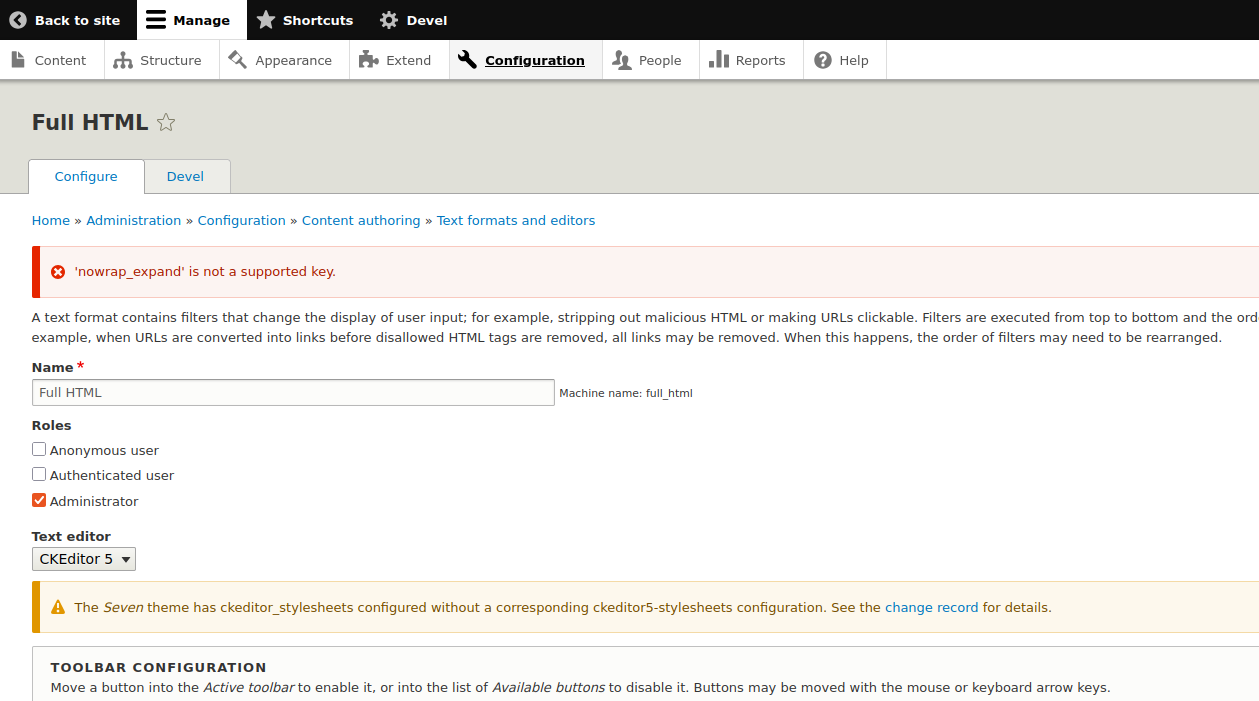
If you are running a Drupal 10 or 11 site and use the Code Filter module, you may encounter a validation error when saving your Text Formats (under Configuration > Content authoring > Text formats and editors). The error message usually reads:
"'nowrap_expand' is not a supported key."
This issue occurs because recent versions of Drupal (starting around 10.3) have stricter configuration schema validation. If a module stores settings but hasn't defined them in a schema.yml file, Drupal's validation system flags them as "unsupported." This effectively prevents you from saving any changes to your text formats until the schema is properly defined.
Setup:
Web server running on Ubuntu 18.04, 20.04, 22.04, LAMP stack
Drupal 8,9,10,11
Installed Code Filter Module
Installed Drush, Composer
Instructions: How to Fix the Error
There are three primary ways to resolve this validation error, depending on your project's workflow. The most efficient and "future-proof" method is to update the module to a version that includes the schema fix.
Starting with the release of Code Filter 2.0.0, this error has been officially resolved, as this version includes the necessary configuration schema to support the nowrap_expand key natively.
#or
composer require 'drupal/codefilter:^2.0'
#Clear Drupal cache.
drush cr
This command instructs Composer to check for the latest version of the Code Filter module and synchronize your site's composer.lock file.
By running this, you pull in the official bug fix that includes the missing configuration schema, automatically resolving the validation error without needing to manually edit code.
Summary
The "nowrap_expand is not a supported key" error is a byproduct of Drupal's evolving security and configuration standards. While the Code Filter module uses this setting to control how code blocks behave, the lack of a formal schema definition causes modern Drupal versions to reject the configuration.
By updating to the latest version of the Code Filter module, you provide Drupal with the necessary configuration schema to recognize nowrap_expand as a legitimate boolean setting. This resolves the validation conflict, allowing you to save your text formats successfully and removing the persistent error message from your configuration pages.