
Introduction
Keeping your Drupal site updated isn't just about getting the latest features—it’s your primary line of defense against cyber threats. When a security advisory drops, the clock starts ticking, and the speed at which you apply the patch can be the difference between a secure platform and a compromised one.
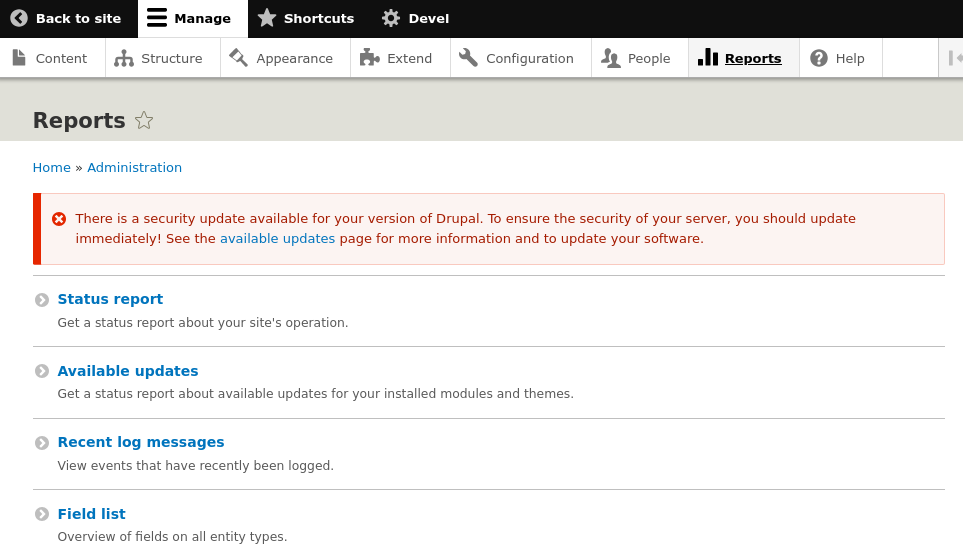
The Warning security message
There is a security update available for your version of Drupal. To ensure the security of your server, you should update immediately! See the available updates page for more information and to update your software.
Since modern Drupal sites rely on Composer for dependency management, the update process is more streamlined and reliable than ever. However, it requires a specific sequence of commands to ensure that core files, scaffold scripts, and third-party libraries remain in perfect sync.
In this guide, we’ll walk you through the precise steps to safely update Drupal Core via the command line. From verifying your current version to running the update and clearing your cache, you’ll learn the professional workflow for keeping your site hardened, stable, and up to date.
To resolve this security warning and safeguard your site, you must upgrade your Drupal core installation to the latest stable version using Composer.
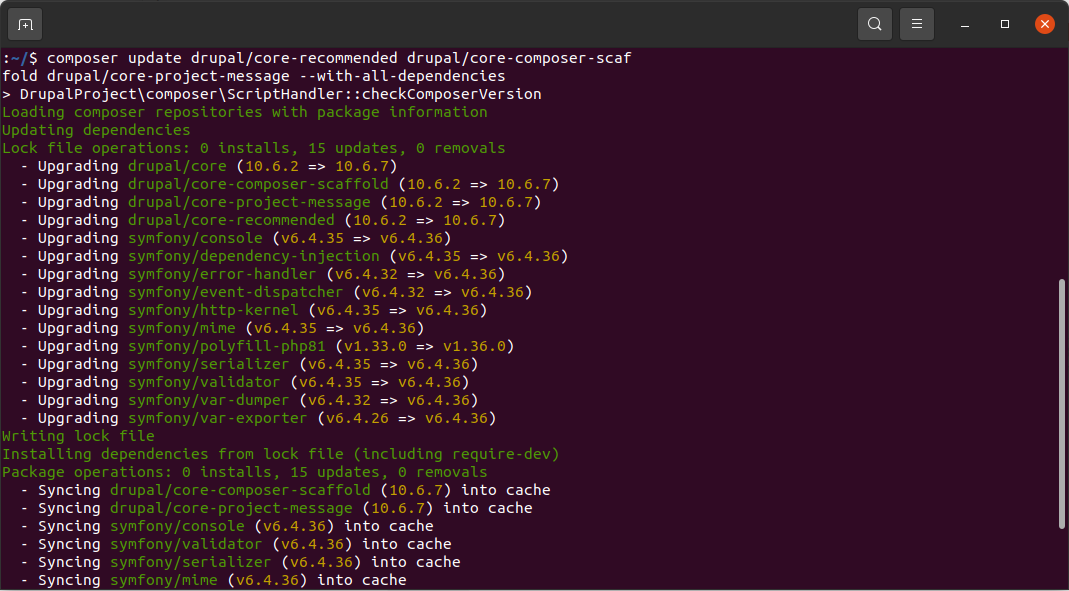
This command is the standard way to safely update the core files of a Drupal site managed via Composer.
composer update: Tells Composer to calculate the latest versions of the specified packages based on the version constraints in your composer.json file and update the composer.lock file.drupal/core-recommended: The main package containing Drupal core. The "recommended" version locks all of Drupal's dependencies to specific, tested versions to ensure stability.drupal/core-composer-scaffold: Updates the tool responsible for managing "scaffold" files (like index.php, update.php, and .htaccess) that live outside the /vendor folder.drupal/core-project-message: Updates the utility that displays important system messages or release notes in the CLI after an update completes.
--with-all-dependencies: This flag is crucial. It tells Composer that if the core packages require newer versions of third-party libraries (like Symfony or Twig components), it has permission to update those as well.
To update Drupal Core safely using Composer, follow these essential steps:
- Backup Your Site: Export your database and archive your web files to ensure you can revert if the update fails.
- Put the Site in Maintenance Mode: Log in as an admin or use Drush
drush sset system.maintenance_mode 1to prevent data inconsistencies during the update. - Run the Update Command: Execute the following in your terminal to update core and its dependencies:
composer update drupal/core-recommended drupal/core-composer-scaffold drupal/core-project-message --with-all-dependencies - Run Database Updates: Apply any required schema changes by visiting
/update.phpin your browser or runningdrush updatedb. - Clear the Cache: Rebuild the site cache using
drush cror via the performance settings in the UI. - Verify and Re-enable: Check the Status Report page for errors, then disable maintenance mode to bring the site back online.
Summary
Maintaining a secure Drupal environment requires timely updates to protect your site from emerging vulnerabilities and exploits. Using Composer ensures that core files and their complex dependencies are updated in a stable, synchronized manner that prevents technical conflicts. By following this standardized workflow, you can harden your site’s defenses while ensuring long-term performance and reliability.