
Introduction
By default, Drupal (9,10,11) handles content creation dates behind the scenes. While the node’s creation timestamp (created) exists on every content item, Drupal Core does not expose it as a draggable element on the Manage Display tab.
This can leave site builders stuck when they need to reorder, format, or place the creation date alongside standard node fields without editing template files.
When Do You Need This Feature?
Exposing the creation date as a manageably displayed field is essential when you need precise control over your site's layout and metadata.
Common use cases include:
- News & Magazine Sites: Placing publication dates next to custom metadata, such as "Byline," "Reading Time," or "Category."
- Custom Layouts: Dragging the creation date into specific layout builder regions or field groups without writing custom Twig templates.
- Granular Formatting: Applying distinct date formats (e.g., "Time ago" vs. "MM/DD/YYYY") across different display modes like Teaser, Full Content, or Search Result.
- Decoupled Field Order: Keeping editorial content separate from administrative meta-information while retaining control in the Field UI.
Solutions:
In Drupal, the node creation date (created timestamp) is already a base field on every node. Depending on where and how you want to display it, here are the few primary methods to show it:
Option 1: Use a Contrib Module (Recommended for UI Control)
If you want the field to show up in Structure > Content types > [Your Content Type] > Manage display so you can drag-and-drop, configure, or hide it, use a lightweight module (drupal/manage_display):
Manage Display or Base Field Display:
- Install via Composer:
composer require drupal/manage_display - Enable the module.
- Go back to
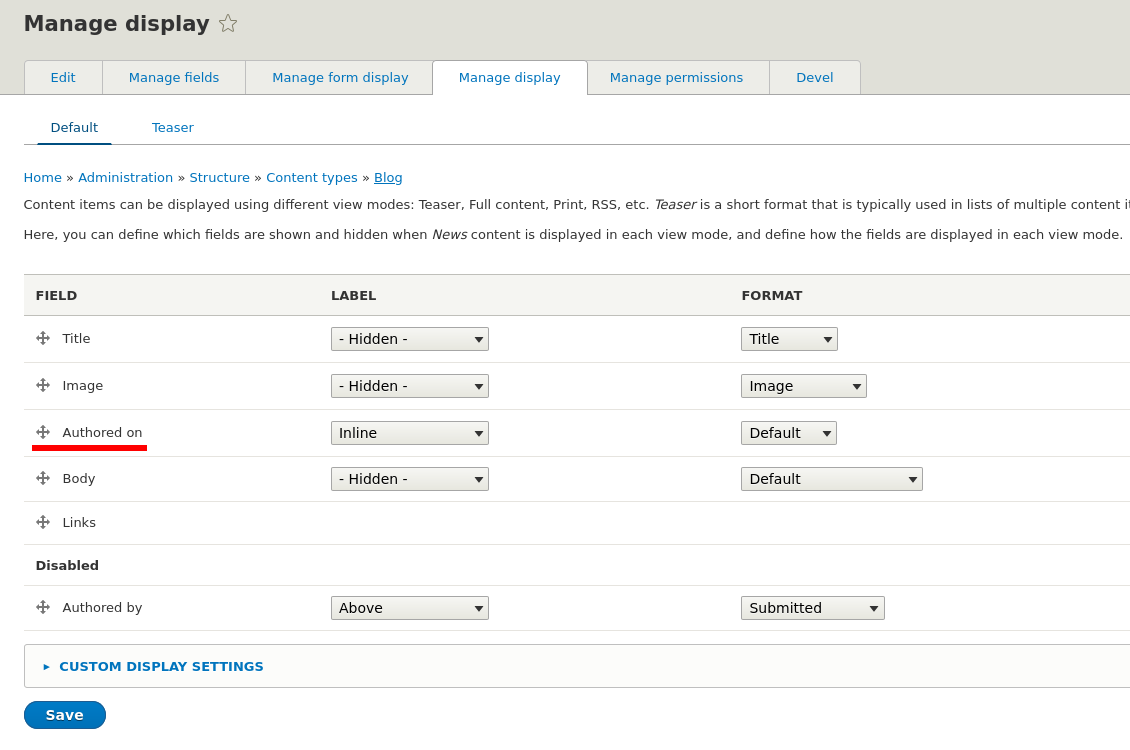
Manage display. You will now seeAuthored onas a draggable field in the list, complete with standard date formatting options.
Drupal Module: Manage display
Manage Display
composer require 'drupal/manage_display:^3.0'
Command to install drupal/manage_display module
Required to manually enable the module in Drupal Admin UI and clear Drupal Cache.
Alternative Drush Commands:drush en manage_displaydrush cr
Option 2: Custom Field Render inside node.html.twig
If you are already modifying theme templates, render the creation date timestamp directly using Twig:
{# Output formatted date #}
{{ node.getCreatedTime()|format_date('medium') }}
{# Or format with custom PHP date parameters #}
{{ node.getCreatedTime()|date('F j, Y') }}
Edit template node.html.twig
ornode--article.html.twignode--article--full.html.twig
Drupal Cache Rebuild is Requireddrush cr
Summary
In this guide, you will learn the four best approaches to displaying the node creation date in Drupal (9,10,11). Covering using lightweight contrib modules to unlock the UI, enabling core theme settings, programmatically defining pseudo-fields with custom hooks, and rendering formatted dates directly in Twig templates. By the end, you’ll be able to choose the cleanest method for your specific site configuration.