
Introduction
Updating Drupal core is a critical maintenance task that ensures your website remains secure, benefits from the latest features, and maintains optimal performance.
A "manual update" involves replacing the core system files with the latest version while preserving your unique configurations, themes, and uploaded media. Using the shell (command line) allows for precision and speed, reducing the risk of timeout errors often associated with browser-based updates.
This manual update process via shell can be applied to Drupal 7, 8, 9, 10, and 11, although it is primarily recommended for Drupal 7 or for modern versions (8 and above) only when the site is not managed using Composer.
Prerequisites
Before touching any files, ensure you have:
- A Full Backup: Export your database and create a compressed archive of your entire directory.
- SSH Access: You must be able to log into your server via terminal.
- Maintenance Mode: Log in as an administrator and navigate to
/admin/config/development/maintenanceto put the site into maintenance mode.
Step 1: Preparation in the Shell
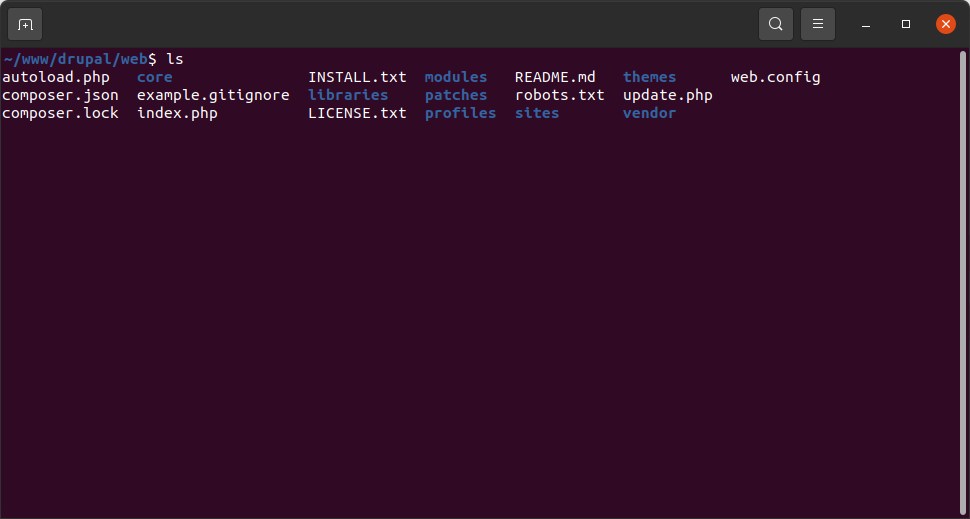
First, navigate to your Drupal root directory (often public_html or var/www/html) and remove any previous temporary update folders.
cd /path/to/your/drupal/site rm -rf update-tmp mkdir update-tmp cd update-tmp
Step 2: Download the Latest Version
Use wget or curl to fetch the latest version of Drupal core from the official repository. (Replace X.X.X with the version number you are targeting).
wget https://www.drupal.org/download-latest/tar.gz tar -zxvf tar.gz
Step 3: Remove Old Core Files
Navigate back to your site root. You must delete the existing core files and folders except for the /sites directory (which contains your settings and files) and any custom files like .htaccess or robots.txt if you have modified them.
# From your Drupal root rm -rf core vendor rm update.php index.php [any other root files]
Step 4: Move New Files into Place
Copy the new core files from your temporary folder into your Drupal root directory.
cp -R update-tmp/drupal-X.X.X/* .
Step 5: Update the Database
Even after replacing the files, the database schema may need updates to match the new code. Run the update script via the browser by visiting yoursite.com/update.php or, if you have Drush installed, run:
drush updatedb drush cache:rebuild
Step 6: Final Verification
- Check Status Report: Go to /admin/reports/status to ensure the version number is correct and there are no errors.
- Disable Maintenance Mode: Bring your site back online.
- Test: Click through your site to ensure themes and modules are functioning as expected.
Summary
Manually updating Drupal core via the shell is a four-stage process: Backing up, replacing core files, updating the database, and clearing caches. While this method requires more manual oversight than Composer, it provides a granular level of control over your environment. Regular updates are the most effective way to protect your site against vulnerabilities and keep your Drupal ecosystem healthy.