
Introduction
Managing separate XML sitemaps for different types of content — such as images, videos, news articles, and localized languages — can quickly turn into an administrative headache. Fortunately, Google Search supports combining sitemap extensions into a single XML file.
Instead of maintaining individual sitemap files for each media type or language version, site owners can declare multiple XML namespaces within a single file and append tags sequentially under each page URL. This streamlined approach simplifies crawling, centralizes metadata, and makes site architecture easier to maintain.
Combining Sitemap Extensions: How It Works
To consolidate extensions into a single sitemap, you must follow two fundamental XML rules:
1. Declare the Required XML Namespaces
The root <urlset> tag must define the namespaces for every extension you intend to use via xmlns attributes. Google supports the following extension namespaces:
- Images (image:):
[http://www.google.com/schemas/sitemap-image/1.1](http://www.google.com/schemas/sitemap-image/1.1) - News (news:):
[http://www.google.com/schemas/sitemap-news/0.9](http://www.google.com/schemas/sitemap-news/0.9) - Videos (video:):
[http://www.google.com/schemas/sitemap-video/1.1](http://www.google.com/schemas/sitemap-video/1.1) - Language/Hreflang (xhtml:):
[http://www.w3.org/1999/xhtml](http://www.w3.org/1999/xhtml)
2. Append Extension Tags Under Each URL
Within each <url> entry, add the specific extension elements right after the <loc> tag. The order in which extensions appear after <loc> does not matter, but all child elements must comply with the official documentation for their respective extension.
<urlset xmlns="http://www.sitemaps.org/schemas/sitemap/0.9"
xmlns:news="http://www.google.com/schemas/sitemap-news/0.9"
xmlns:video="http://www.google.com/schemas/sitemap-video/1.1"
xmlns:xhtml="http://www.w3.org/1999/xhtml">
<url>
<loc>https://www.example.com/english/page.html</loc>
<!-- 1. Google News Extension -->
<news:news>
<news:publication>
<news:name>The Example Times</news:name>
<news:language>en</news:language>
</news:publication>
<news:publication_date>2026-01-15</news:publication_date>
<news:title>Companies A, B in Merger Talks</news:title>
</news:news>
<!-- 2. Video Extension -->
<video:video>
<video:thumbnail_loc>https://www.example.com/thumbs/123.jpg</video:thumbnail_loc>
<video:title>Lizzi is painting the wall</video:title>
<video:description>
Gary is watching the paint dry on the wall Lizzi painted.
</video:description>
<video:player_loc>https://player.example.com/video/987654321</video:player_loc>
</video:video>
<!-- 3. Localized Versions (hreflang via XHTML) -->
<xhtml:link rel="alternate" hreflang="de" href="https://www.example.de/deutsch/page.html"/>
<xhtml:link rel="alternate" hreflang="de-ch" href="https://www.example.de/schweiz-deutsch/page.html"/>
<xhtml:link rel="alternate" hreflang="en" href="https://www.example.com/english/page.html"/>
</url>
<!-- Additional <url> entries follow -->
</urlset>
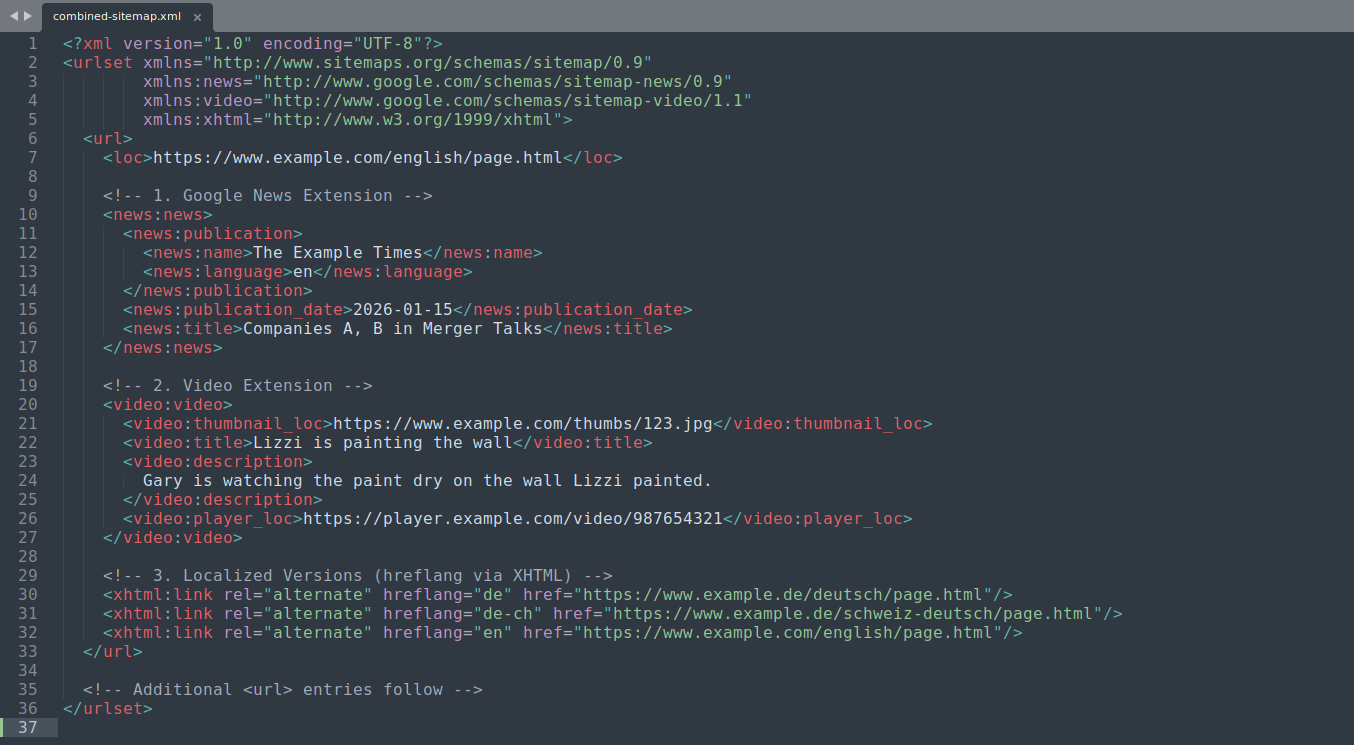
An example of a single sitemap file combining News, Video, and Hreflang (XHTML) extension tags for a single URL entry.
Summary & Key Takeaways
Combining Google sitemap extensions gives search engine crawlers a rich, complete picture of a web page's media and language variations without forcing you to split metadata across multiple files.
Key Points to Remember
- Declare all namespaces upfront: Add every relevant
xmlnsattribute (xmlns:news,xmlns:video,xmlns:xhtml,xmlns:image) in the root<urlset>tag. - Tag order is flexible: Once the primary
<loc>URL is specified, extension blocks (<news:news>,<video:video>,<xhtml:link>) can appear in any sequence. - Monitor file size limits: Combining rich media annotations increases individual file size quickly. Ensure your file remains under the standard limits (50 MB uncompressed or 50,000 URLs per sitemap).
- Troubleshoot in Search Console: Validate your combined XML sitemaps using the Sitemaps tool in Google Search Console to detect syntax or validation errors early.