
What is srsltid — and why it matters
The “srsltid” parameter stands for Search Result Source Listing ID. Originally, it was used by Google Merchant Center (when auto-tagging was enabled) to help track which product listing in Google Shopping generated a click. That way, merchants could attribute traffic and conversions to specific listing sources.
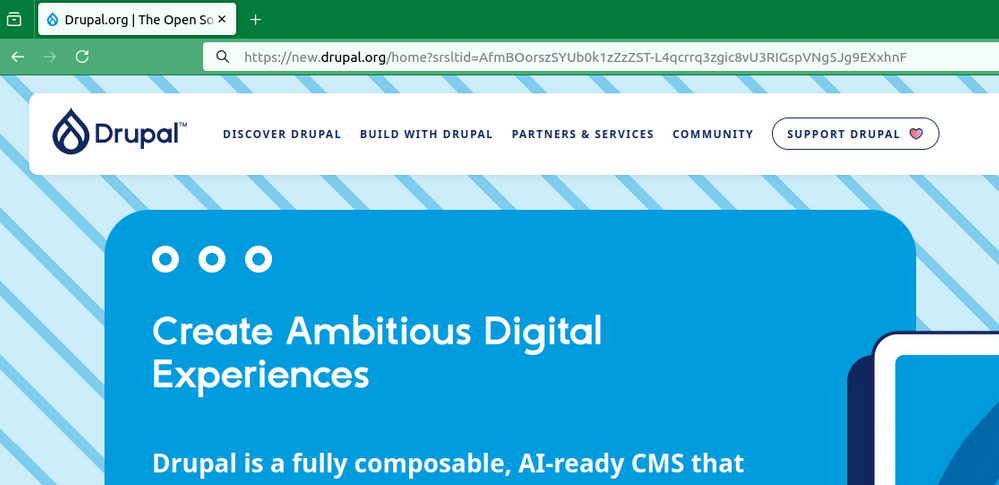
Example of URL with added “srsltid” parameter by Google
https://cmsintegrationguide.com/?srsltid=AfmdBOoreMV85zHHcPIlXbTc75FKes6icupQtVuV67EqJi69jeH_2DfyB
However — starting around August 2024 — people began to notice that ?srsltid= was appearing not only on Shopping results, but on ordinary organic search results too.
What changed — and why it’s causing concern
The srsltid parameter, once used solely to track clicks on Google Shopping product listings, now appears on standard, non-ecommerce pages such as blogs, homepages, and category pages. It is also generated dynamically for every search-result impression, meaning each refresh can create a new unique srsltid value.
Because every click produces a slightly different URL — the same page with a new query string — analytics platforms may interpret these as separate pages. This can inflate page counts, fragment reporting, and even misattribute traffic, such as labeling organic visits as Shopping-derived.
The take away.
The spread of the srsltid parameter beyond Shopping results creates unnecessary URL variations that can distort analytics and complicate SEO management. Cleaning and consolidating these URLs in tracking tools is essential to maintain accurate data.
How to manage srsltid — Best Practices
If you run a website (especially an e-commerce site) and want to minimise negative side-effects of srsltid, consider the following:
- Use canonical tags correctly so that search engines recognise the non-parameterized version as the main page.
- Filter or strip srsltid in analytics tools (e.g. Google Analytics / GA4) so your reports reflect clean URLs.
- If you rely on Shopping tracking — weigh pros & cons: you could disable auto-tagging in Merchant Center (though you’ll lose the specialized tracking) or keep it and adapt accordingly.
- Monitor your crawl budget and server caches — ensure parameterised URLs don’t overload your server or caching layers.
Conclusion
The srsltid parameter started as a useful tracking mechanism for Shopping listings, but since mid-2024 its expansion into organic search URLs has generated confusion — especially among SEO professionals.
While Google maintains it doesn’t impact ranking, the realities of URL proliferation, analytics fragmentation, and crawl inefficiency mean site owners must pay attention. With careful canonicalization, analytics filtering, and URL parameter management, you can largely neutralise the negative side-effects while maintaining performance insights.