
Intro
As a website grows, it inevitably attracts unwanted attention. Whether you are dealing with automated scripts trying to exploit legacy PHP files, malicious crawlers trying to access your sensitive backup directories, or scrapers spamming specific query parameters, there comes a time when you must slam the door shut.
When your infrastructure relies on a standard Apache2 web server, you don't always need a complex, expensive firewall to protect your digital assets. Apache2 comes equipped with native, highly efficient modules designed to intercept and reject requests based on patterns in the target URL. This guide will walk you through the precise steps required to block traffic by a specific URL or a partial string within the request URL.
Understanding the "Why" and "When"
A request URL contains the path and query parameters a client is trying to access (e.g., /wp-admin/, /backup.sql, or ?search=malicious-script). Even if attackers constantly cycle through different IP addresses and fake their User Agents, their underlying target—the specific URL string they are probing—usually stays the same.
You typically need to deploy this defense when:
Vulnerability Probing: Bots are repeatedly scanning for non-existent files or setups you don't use, such as .env, wp-login.php, or setup.php. Exposing
Hidden Files: Automated tools are trying to guess common backup or configuration filenames (like /config.bak or /db.zip).
Query Parameter Abuse: Attackers are spamming your internal site search or application entry points using malicious query strings to attempt SQL injection or cross-site scripting (XSS).
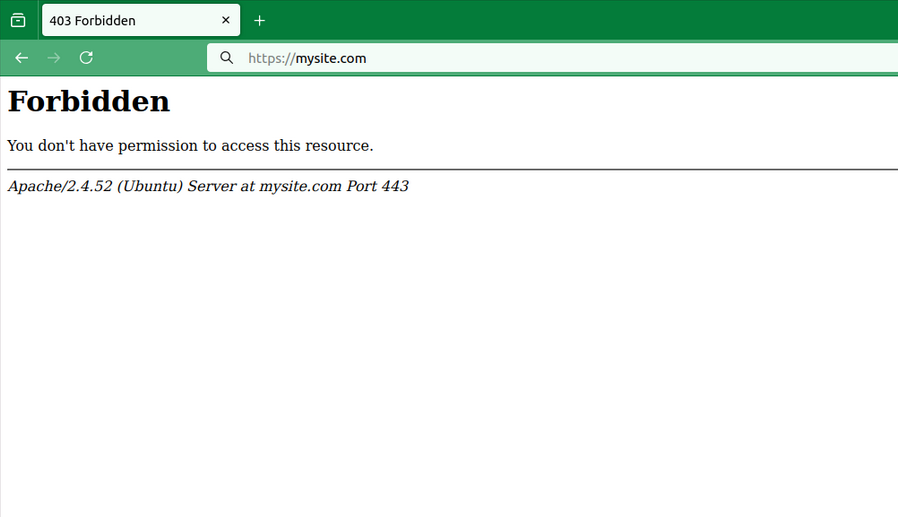
By leveraging Apache’s URL manipulation and access control mechanisms, you can instruct the server to immediately drop these connections with a 403 Forbidden error, preserving your database performance and application resources.
How-To Guide: Setting Up URL String Blocking in Apache2
The most powerful and flexible way to match and block partial strings within a URL in Apache2 is by using the mod_rewrite module. It evaluates the incoming Request URI (the portion of the URL after your domain name) against regular expressions.
You can implement these blocks in two places:
- The Global/Virtual Host Configuration File (Recommended for performance).
- The .htaccess File (Convenient if you do not have root server access).
Step: Identify the Target URL String
Before blocking, examine your Apache access logs (usually located at /var/log/apache2/access.log) to find the exact pattern or partial string the bots are hitting.
Full URL example: yoursite.com/backup-july-2026.sql The "Part string" to block: backup or .sql (blocking a keyword or file extension catches variations).
# /etc/apache2/sites-available/your-site.conf
# Block specific partial strings anywhere in the request URL path (Case-Insensitive)
RewriteCond %{REQUEST_URI} (wp-admin|config|\.env|phpmyadmin|backup) [NC]
RewriteRule .* - [F,L]
Note: [NC] means "No Case" (case-insensitive). The backslash before the dot in \.env escapes the character so it treats it as a literal period. [F,L] stands for "Forbidden" and "Last rule", telling Apache to instantly send a 403 error.
Need to be placed inside <VirtualHost> tag and require RewriteEngine to be On
RewriteCond %{REQUEST_URI} (win\.ini|boot\.ini|etc/passwd) [NC,OR]
# Block partial strings within the URL query parameters
RewriteCond %{QUERY_STRING} (select|insert|union|concat) [NC]
RewriteRule .* - [F,L]
Note: The [OR] flag links the conditions together, meaning if either the path OR the query string contains those malicious keywords, the request is blocked.
Summary
Manually blocking traffic by a partial string from the request URL in Apache2 is a vital tool in any web administrator's toolkit. It provides an immediate, zero-cost mechanism to cut off vulnerability scanners at the pass, protect sensitive backup paths, and neutralize basic web application exploit attempts before they ever reach your backend code.
While this method is incredibly effective for protecting known file patterns and vulnerable directories, keep in mind that managing a massive list of keywords inside Apache configurations can become difficult to maintain over time. For comprehensive application security, combining these specific URL-matching rules with an edge-layer Web Application Firewall (WAF) or an automated log parser will ensure your server remains both secure and lightning-fast.