

Introduction
If you’ve ever found yourself needing to change a word across hundreds of files, or quickly clean up a massive log file without opening a heavy text editor, you’ve stumbled upon the exact problem sed was born to solve.
Here is a quick breakdown of what sed is, why it’s a staple in every developer's toolkit, and a list of practical examples you can start using today.
sed - stream editor for filtering and transforming text
What is sed? (The Intro)
The name sed stands for Stream Editor. It is a powerful, non-interactive command-line utility in Unix and Linux systems. Unlike a traditional text editor (like VS Code, Vim, or Nano) where you open a file, move a cursor, and manually type changes, sed takes a stream of text—either from a file or piped from another command—transforms it based on specified rules, and outputs the result.
The Purpose: What Does It Do?
At its core, sed is designed for text transformation and filtering. It reads text line-by-line, applies your editing commands to each line, and prints the modified text to the screen (or writes it back to the file).
While it can delete, insert, and append text, its absolute superpower is search-and-replace using regular expressions.
Who Uses It and Why?
Developers, DevOps engineers, and System Administrators live in sed.
Why they use it:
Speed & Efficiency: It can process massive gigabyte-sized log files in seconds without crashing your system.
Automation: Because it requires no user interaction, it is perfect for automation scripts, CI/CD pipelines, and cron jobs.
Refactoring: It allows you to rename variables, update configurations, or change URLs across an entire codebase with a single line of code.
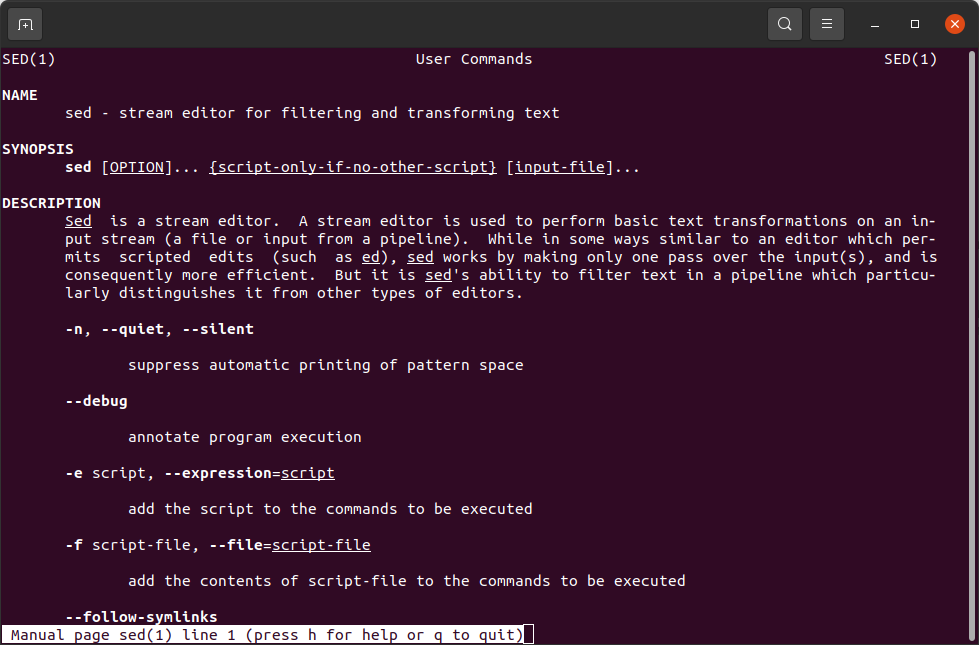
Help instructions for sed command
Practical Examples for Developers
Here is a cheat sheet of handy sed commands that you will actually use in your day-to-day development.
# Replace the first occurrence of "foo" with "bar" on every line:
sed 's/foo/bar/' input.txt
# Global Find and Replace
# Replace every occurrence of "foo" with "bar" across the entire file (notice the g flag for global):
sed 's/foo/bar/g' input.txt
# Case-Insensitive Matching
# Replace "foo", "Foo", or "FOO" with "bar" (using the I flag):
sed 's/foo/bar/gI' input.txt
# Delete Specific Lines
# Delete line 5 of a file:
sed '5d' input.txt
# Delete lines 10 through 20:
sed '10,20d' input.txt
# Strip Blank Lines or Comments
# An absolute lifesaver for cleaning up dirty config files or logs.
# Remove all empty lines:
sed '/^$/d' config.txt
# Remove all lines starting with a comment symbol (#):
sed '/^#/d' config.txt
# Replace Only on Specific Lines
# Only replace "localhost" with "production.server.com" if the line contains the word "API_URL":
sed '/API_URL/s/localhost/production.server.com/' .env
# Print a Specific Range of Lines
# If you just want to see lines 20 to 30 of a massive log file (the -n suppresses default printing, and p explicitly prints the matches):
sed -n '20,30p' logfile.log
Need to be used in Bash
Summary
sed (Stream Editor) is a powerful Linux command-line utility used for parsing and transforming text. Unlike traditional text editors, sed operates non-interactively, reading input text line-by-line, applying specified commands (like search, replace, insert, or delete), and outputting the result.
It is a staple tool for developers and DevOps engineers because it allows them to automate text editing tasks, quickly refactor configurations, and process massive log files within scripts or CI/CD pipelines without ever opening a heavy graphical user interface.