
Intro
Managing Large SQL Imports: How to Skip Unnecessary Tables
When working with massive database dumps—especially in development or disaster recovery scenarios—time is your most valuable asset. If a single log or cache table accounts for the majority of your file size, importing it every time is a massive bottleneck.
This guide explains how to bypass specific tables during a MySQL import to save hours of processing time.
The Situation
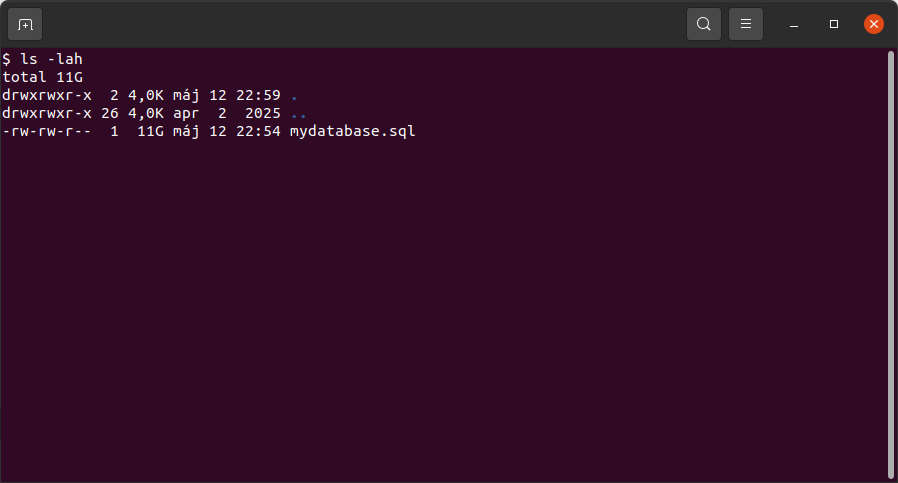
You are dealing with a large SQL dump (approx. 11 GB) containing around 150 tables. One specific table, key_value_expire, holds roughly 70% of the data (about 6 GB to 7 GB).
Because this table contains expiring keys or log data that isn't critical for your immediate needs, importing it adds hours of unnecessary overhead. You need a way to process the rest of the database while effectively "ignoring" the bulk.
The Fix
It is important to clarify a technical distinction: mysqlimport is a command-line utility used for importing text files (like CSV, SQL, ...) into existing tables. It does not "skip" tables inside a single .sql script.
To solve your problem with a standard SQL dump file, you have three primary options ranging from "quick fixes" to "best practices."
1. The Best Practice: Exclude During Export
The most efficient way to solve this is to never include the heavy data in the file to begin with. If you have access to the source, use the --ignore-table flag with mysqldump.
Example:
mysqldump -u username -p database_name \ --ignore-table=database_name.key_value_expire > database_dump_no_logs.sql
Result: This creates a much smaller file (approx. 4-5 GB) that imports in a fraction of the time.
2. The "Sed" Hack: Strip the Data from the File
If you already have the 11 GB file and cannot re-export it, you can use sed to delete the INSERT statements for that specific table before running the import.
sed '/CREATE TABLE `key_value_expire`/,/UNLOCK TABLES;/d' mydatabase.sql > reduced_mydatabase.sql
Command breakdown (sed):
Search through mydatabase.sql, find the section starting with the creation of the key_value_expire table and ending with the next UNLOCK TABLES; statement, throw that section away, and save the rest into a new file called reduced_mydatabase.sql.
Summary
To optimize your workflow and reduce a "couple of hours" of wait time down to minutes:
- Ideally: Use mysqldump --ignore-table to create a lean backup.
- If the file is already created: Use sed to strip the heavy insert lines to discard the data during the live import process.
By excluding the key_value_expire table, you effectively reduce your workload by 70%, making your development environment much more agile.